

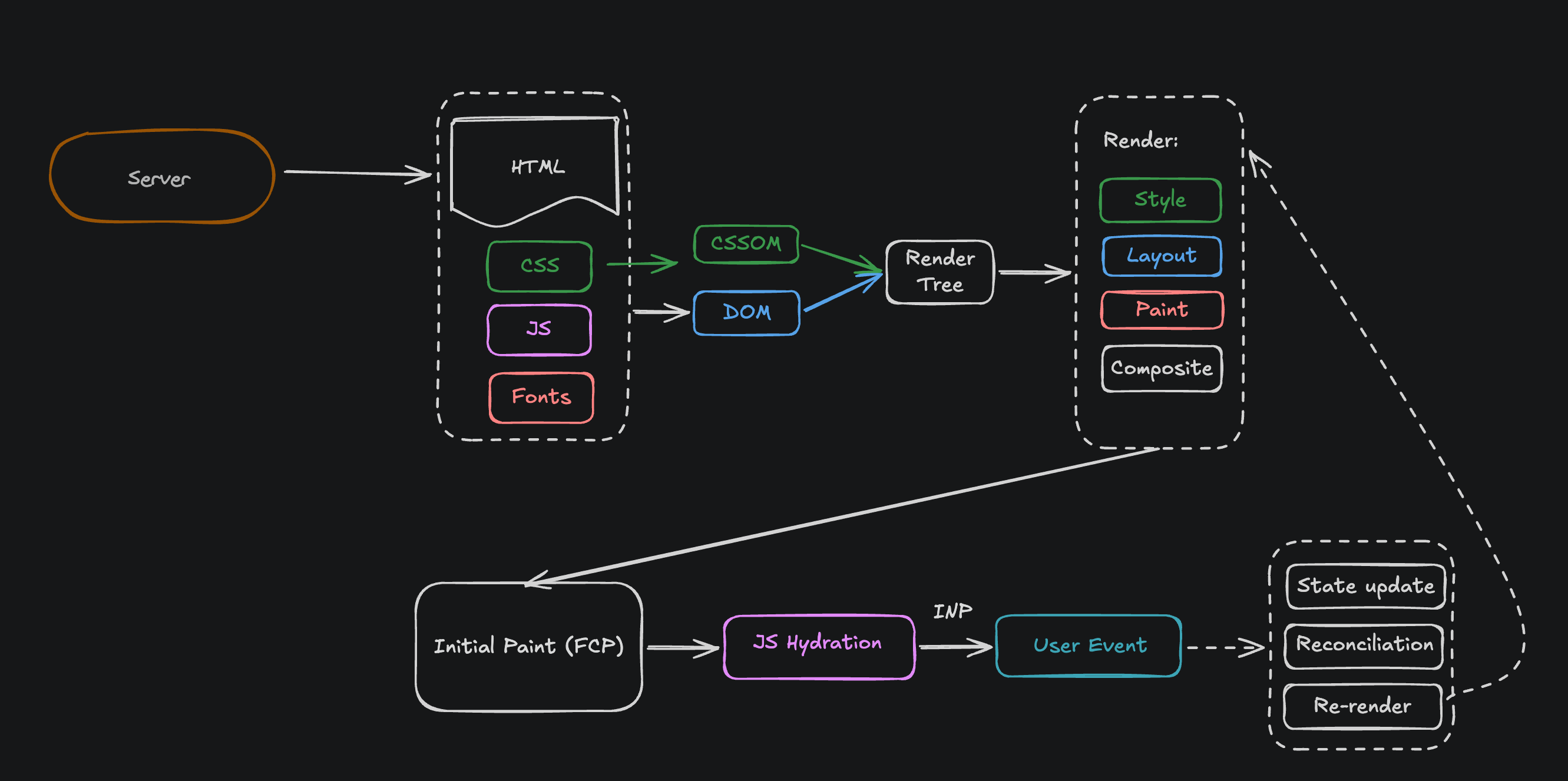
The browser critical rendering path
Step 1: Download
The server sends four things.Step 2: Build two trees
The browser reads HTML and builds the DOM (a tree of elements). The browser reads CSS and builds the CSSOM (a tree of styles). Then it merges them into the Render Tree — only the things that will actually be drawn. Important: the browser will not draw anything until both trees are done. CSS is the problem here. It cannot be used half-finished. One line at the bottom of your last CSS file can change everything above it, so the browser waits for all of it. That is why your page is white.Step 3: Draw it
Four steps, in order:- Style — figure out which CSS rule wins for each element
- Layout — figure out where each box goes and how big it is
- Paint — fill in the pixels
- Composite — put the layers together on screen
Change something, and you pay for that step and every step after it.
transform and opacity. Never animate left, top, width, or margin.
Step 4: You see the page (FCP)
FCP = First Contentful Paint. The first moment you see real content. But the page only looks finished. Nothing works yet.Step 5: Hydration
The HTML on screen is dead text. JavaScript has to run and attach click handlers to it. That is hydration. This is the dangerous gap:- The user sees a normal-looking page
- The user clicks a button
- Nothing happens
- There is no loading spinner, no clue anything is missing
Step 6: You can click it (INP)
INP = Interaction to Next Paint. How long from a click until the screen updates. A click goes right back through Step 3 — style, layout, paint, composite. Same pipeline. Under 200ms feels instant. Over that feels broken.Cheat sheet
And what to fix:
- Slow TTFB → your server. Front-end code cannot help.
- Slow FCP → too much CSS/JS blocking in
<head>. - Slow LCP → your hero image is late. Preload it.
- Bad CLS → images with no
width/height. - Bad INP → too much JavaScript.